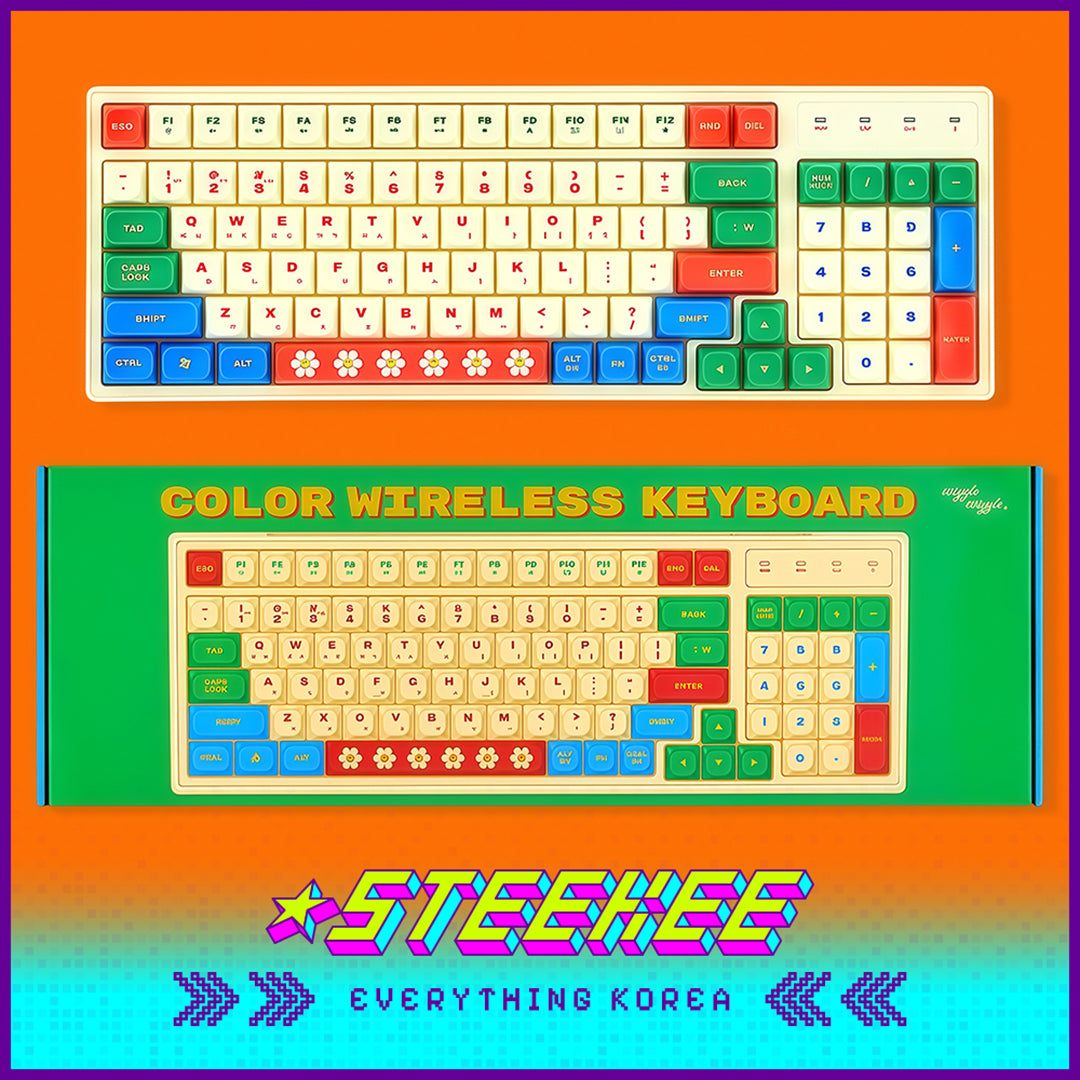
Wiggle Wiggle Contrast Color Wireless Bluetooth Keyboard by Steekee Korea 4422
Wireless connection technology breaks free from the constraints of cables, making the desktop instantly clean and tidy. Whether it is paired with a laptop, tablet or mobile phone, it can quickly pair and respond stably. Every tap is accurate and smooth, and typing is as smooth as flowing water. The keys are light and soft, and it is not easy to get tired after long-term use. Whether it is dealing with complicated work, chatting happily or immersive creation, it can bring a comfortable and smooth operation. It also has a color ingenuity that brightens the space: a touch of bright blue jumps on the keyboard, matched with the brand's iconic details, breaking the stereotype of electronic devices. Put it on the desktop, it is not only a practical tool to improve efficiency, but also a personalized item to decorate the space.
Key Features: -Wireless Freedom: Ditch the cables! Enjoy fast pairing with multiple devices for a tidier workspace. -Light, Comfortable Keys: Soft, responsive keys ensure smooth, fatigue-free typing even with long-term use. -Vibrant Design: Bright colors and iconic brand details inject fresh energy into your desktop. -Stable Performance: Sensitive, lag-free response ensures accurate input for both work and play. -Multi-Device Compatible: Works seamlessly with computers, tablets, and phones, adapting to all your needs. -Practical & Stylish: More than just an input tool, it's a personalized accent that beautifies your desk. -Size: 38.5 × 13.2 × 2.6cm -Options: Blue, Ivory
Cautions: -Before use, you need to confirm that the device Bluetooth is turned on, and then operate after completing the pairing according to the instructions. -Avoid liquid splashing on the keyboard surface. If it is accidentally stained with water, turn off the power immediately and wipe off the moisture. -When cleaning, use a dry soft cloth to gently wipe the keys and the body. Do not wipe directly with a wet cloth or detergent. -When not in use for a long time, turn off the power and store it in a dry and ventilated place to prevent internal components from getting damp. -Avoid dropping or pressing the keyboard heavily to prevent the shell from cracking or internal parts from being damaged and affecting use. -When replacing batteries, install them correctly according to the positive and negative poles, and avoid mixing old and new batteries or batteries of different models.